On this page
1. Getting started 2. Accounts 3. Transactions & recurring items 4. The Plan tab: timeline & shortfall warnings 5. Budgets 6. Profiles & what-if scenarios 7. Sync, Premium & your account 8. Your data: export, import, CSV 9. FAQ1. Getting started
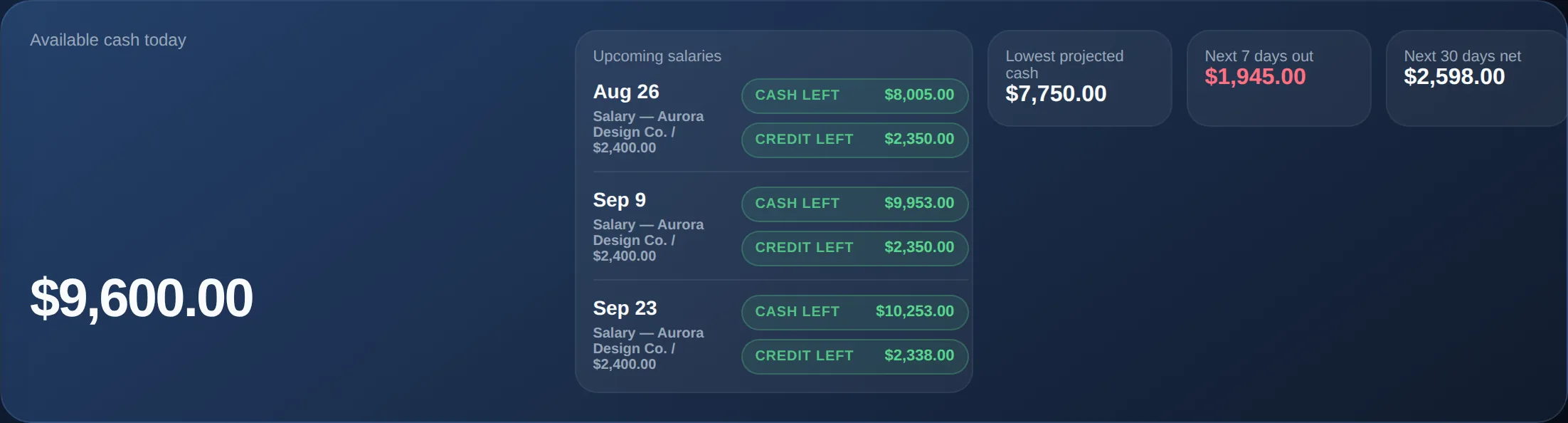
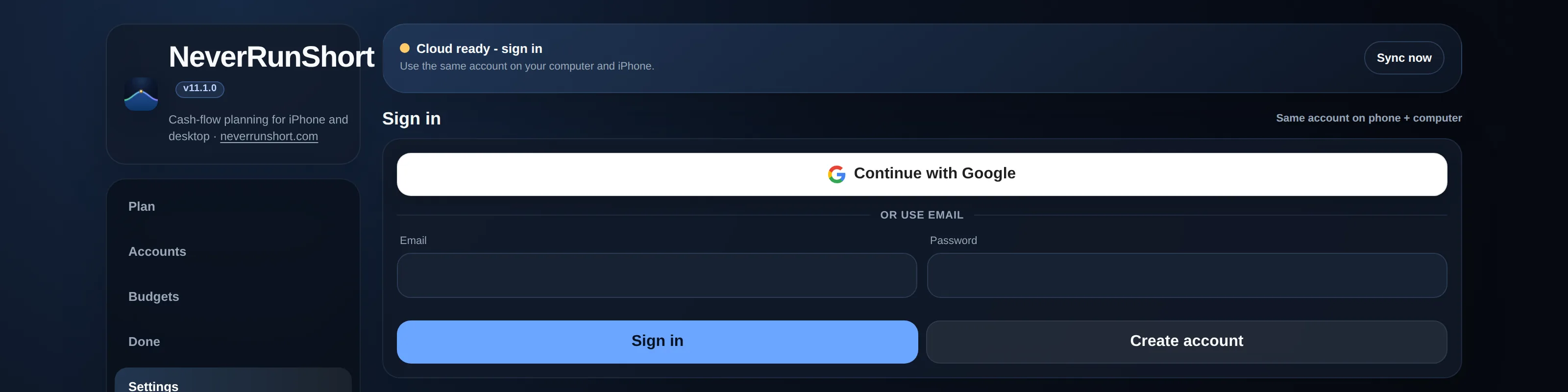
Open the app and sign in or create a free account — a quick email/password or Google sign-up, no card required. Once you're in, the app opens on the Plan tab, which is the home screen: your available cash, upcoming salaries, your lowest projected balance, and the cash-flow timeline itself. It starts empty — the first thing worth doing is adding your real accounts under the Accounts tab, then a handful of your actual recurring bills and income under Plan → Add new. The projections and warnings only get useful once your real numbers are in.
An account is required, but your planner still works fully offline day to day, saved only on your device — creating an account doesn't send your data anywhere by itself. Cloud sync (needed if you want the same planner on your phone and your computer) is a separate, optional Premium feature you can turn on later in Settings. If you'd rather look around before signing up, the public demo needs no account at all.
2. Accounts
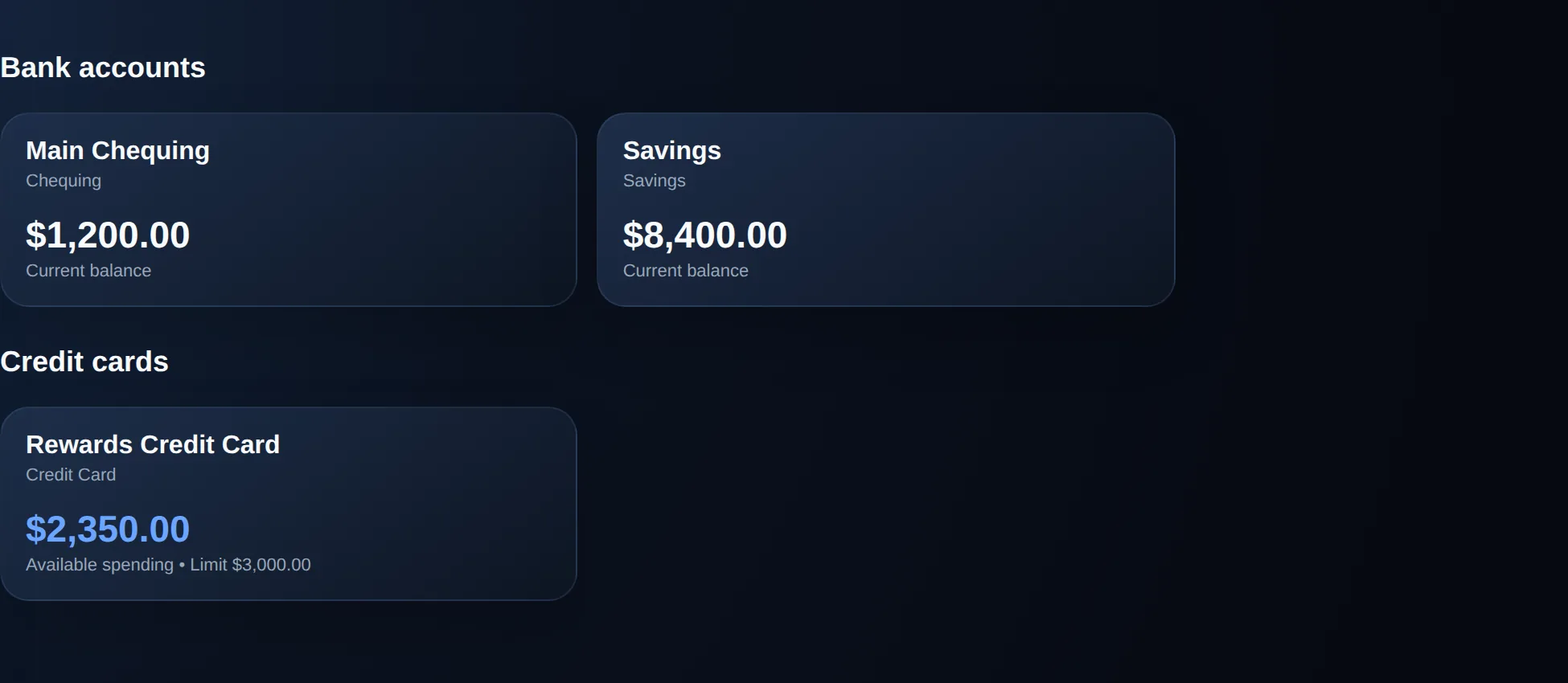
Under the Accounts tab, add each account you actually use: chequing, savings, cash, or a credit card. Bank and cash-type accounts track a current balance. Credit cards track the amount currently owed, plus a credit limit, so NeverRunShort can show you available spending room and warn you before a card would be maxed out by a planned charge.
The hero number at the top of the Plan tab — Available cash today — is the sum of every non-card account. That's deliberate: it answers "how much can I actually spend right now," pooled across accounts. It is not the same as any one account being safe — see the next section for why that distinction matters.
3. Transactions & recurring items
Every transaction is one of three types:
- Income — money landing in an account (a paycheque, a refund, other income).
- Expense — money leaving an account, tagged with a category for budgeting.
- Transfer — money moving between two of your own accounts.
Any of these can repeat: weekly, biweekly, semimonthly, monthly, or yearly. When you create a recurring item, NeverRunShort immediately generates the individual future occurrences (rather than recalculating them every time), so each one shows up on the timeline as its own entry and can be individually edited, moved, marked done, or deleted without touching the rest of the series. If you leave Number of times blank, the series is ongoing: NeverRunShort materializes roughly the next 2 years of occurrences right away, then quietly tops that back up as time passes, so it never actually runs out — you'll never need to recreate a recurring item just to keep it going. If you set a specific count instead, the series has a fixed end.
Editing or deleting a single occurrence asks whether the change should apply to just that occurrence or to the whole series. Choosing Entire series while editing updates the name, amount, category, and account across every occurrence, past and future — each occurrence still keeps its own date and paid/planned status. Choosing This and future while deleting removes that occurrence and everything after it, but never touches occurrences already in the past, so your completed history is never lost.
A transaction can be marked planned or paid (completed). Completed items still count as real activity that already happened, even if you later exclude that item's future schedule from projections.
4. The Plan tab: timeline & shortfall warnings
The cash-flow timeline lists every income, expense, and transfer in date order, out to your chosen planning horizon — 30, 90, or 180 days on the Free plan, or 1 or 2 years ahead on Premium. You can filter it — all items, just income, just expenses, just shortfalls, or included/excluded only — without changing any of the underlying totals or projections; the filter only changes which rows are visible.
This is where NeverRunShort's core feature lives: per-account shortfall warnings. While the hero "Available cash today" number is pooled across every account, the warnings are calculated per account — NeverRunShort simulates each account's own running balance day by day and flags the exact date it would go negative, shown as a red-bordered timeline entry and a "Need $X in [account] before [date]" chip. A bill can be perfectly affordable in total and still bounce, if it's scheduled to come out of the one account that's tight — that's exactly the situation these warnings catch.

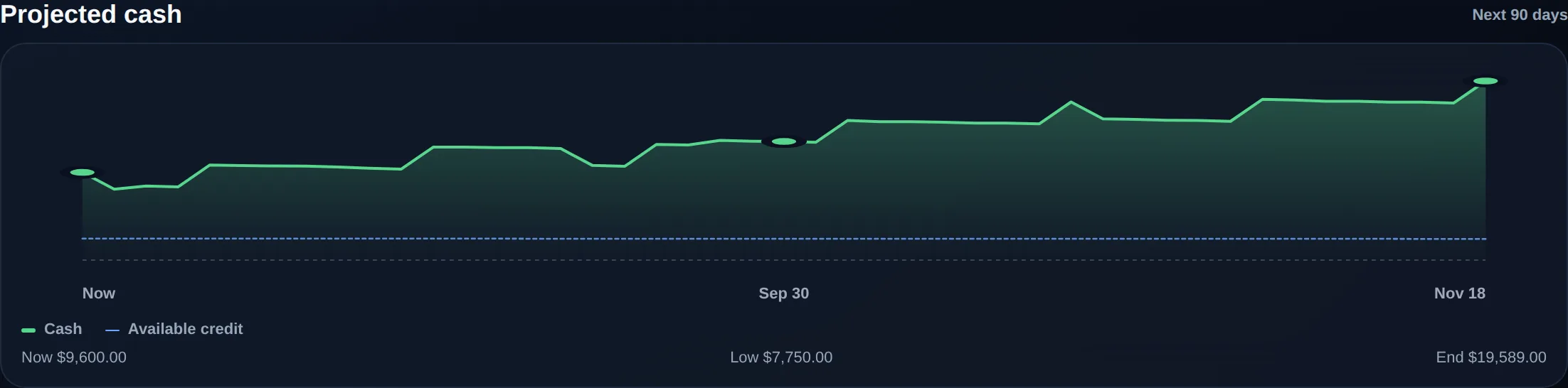
The Projected cash chart plots your pooled cash (and available credit) forward across the horizon; drag or tap across it to scrub through exact daily values.
One nuance worth knowing: an item you've excluded from your plan stays visible on the timeline (so you don't lose track of it) but doesn't affect any totals, charts, projections, or warnings. Your planning horizon here only controls what the timeline and chart display — it has no effect on how far a recurring series actually generates; that happens automatically and independently, as described in the recurring items section above.
5. Budgets
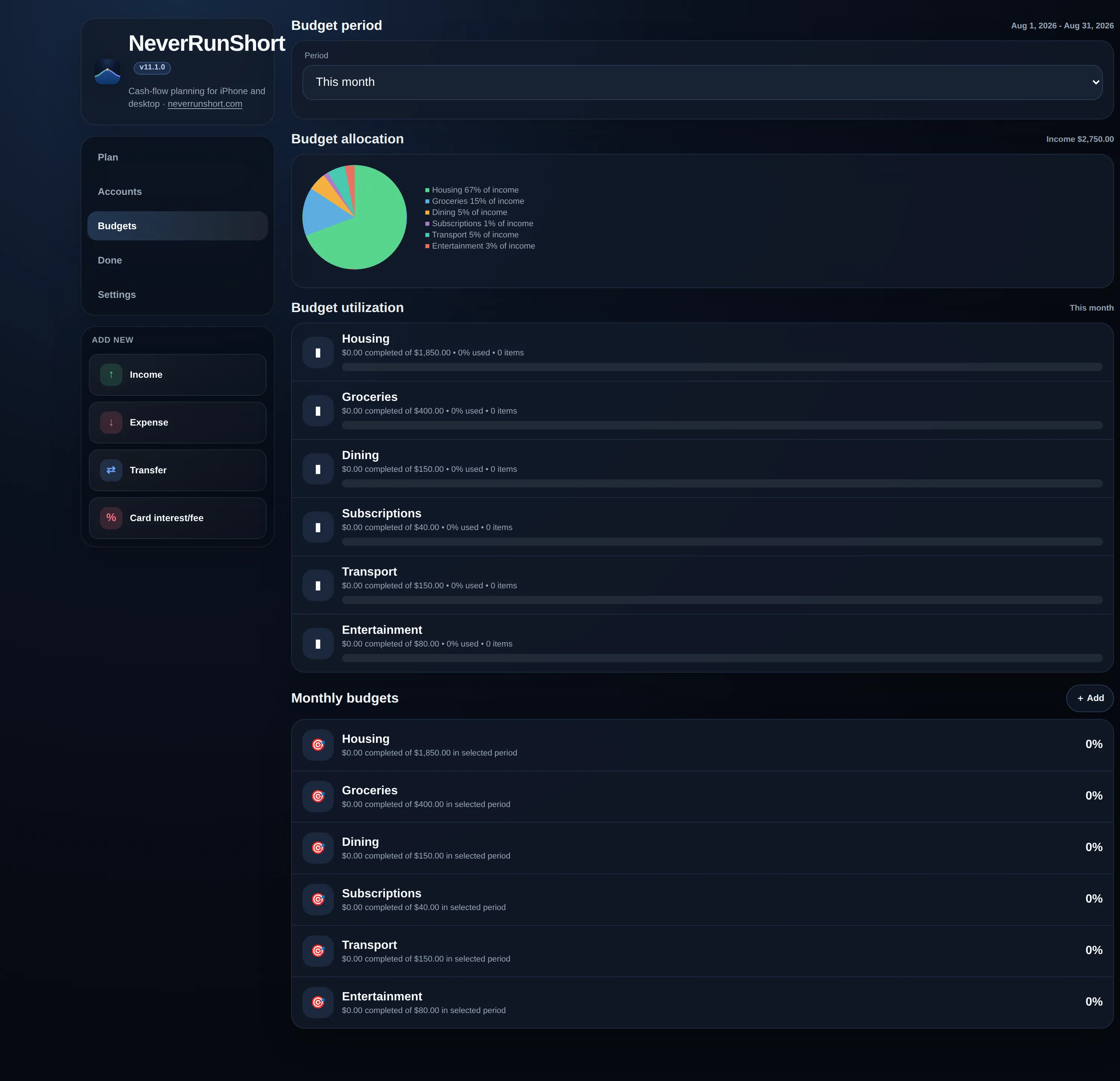
Set a monthly amount per category under the Budgets tab, then choose the period you want to measure against — this month, last month, the last 30 days, this year, or a custom date range. NeverRunShort prorates the monthly target correctly for whatever period you pick, including odd ranges that straddle a month boundary, so a 7-day custom window is measured against roughly a week's worth of budget, not a full month's. Tap a budget's utilization bar to see the completed transactions behind it.
6. Profiles & what-if scenarios
Profiles let you run separate versions of your plan without disturbing the original. Open Settings → Profiles, choose Duplicate current, and give the copy a useful name such as “Move in June” or “Pay off card first.” The duplicate starts with the same accounts, balances, transactions, budgets, and preferences; changes you make afterward stay in that profile. The active profile's name is shown in the app header so you always know which scenario you're editing.
You can switch, rename, or delete profiles from the same Settings card, or use New blank for a clean plan. Switching saves the profile you're leaving before loading the next one. Deleting a profile permanently removes only that scenario, and NeverRunShort won't let you delete your last remaining profile.
All profiles travel together in a full JSON backup and, when Premium sync is enabled, in cloud sync. The selected active profile is shared across synced devices. A transaction CSV contains only the active profile, which makes it easy to analyze one scenario at a time. The daily bill digest also follows the active profile, so leave the plan whose real bills you want emailed selected as active.
7. Sync, Premium & your account
Using NeverRunShort requires a free account (email/password or Google — no card required), but by default your planner still lives only in this browser, on this device. That's the Free plan — full local planning, unlimited accounts and transactions, up to a 180-day horizon, forever. Cross-device cloud sync is a Premium feature: once Premium is active, edits save to your device immediately and sync in the background within a couple of seconds whenever you're online.
If two devices are edited offline at the same time, NeverRunShort warns you before overwriting: you'll be asked to confirm before one device's version replaces the other's, rather than silently losing changes. Your account is private to you — there's no shared or collaborative planner, only individual accounts.
New accounts get a 30-day free trial of Premium — no card required. The Settings tab shows a Subscription card with your trial countdown; from there, Subscribe opens Stripe Checkout for $4.99/month or $39/year (about $3.25/month, billed annually), and once you're subscribed the same button becomes Manage billing, which opens Stripe's billing portal to update your card, switch plans, or cancel. During the public beta there's no trial countdown and nothing to subscribe to — every feature is already on. If a trial lapses before you subscribe, your planner keeps working exactly as before on that device on the Free plan — the only things that pause are cross-device syncing, the 1-2 year planning horizon, and the daily bill digest email, until you subscribe. See pricing for the full Free vs. Premium comparison, or the in-app Pricing tab.
Premium accounts can also turn on the daily bill digest from Settings — a checkbox and an email address, right below the Subscription card. Once it's on, NeverRunShort emails you once a day with anything due (unpaid, and not excluded from your plan) in the next 7 days, so you don't have to open the app to catch something coming up. Turn it off from the same spot anytime.
8. Your data: export, import, CSV
From Settings, you can export a full JSON backup of your entire planner — including every profile — at any time, and import one back in (with a confirmation step, so a bad file can't silently overwrite your data). You can also export the active profile's transactions as CSV to open in Excel or Google Sheets. There's no lock-in: your data leaves in a plain, readable format whenever you want it.